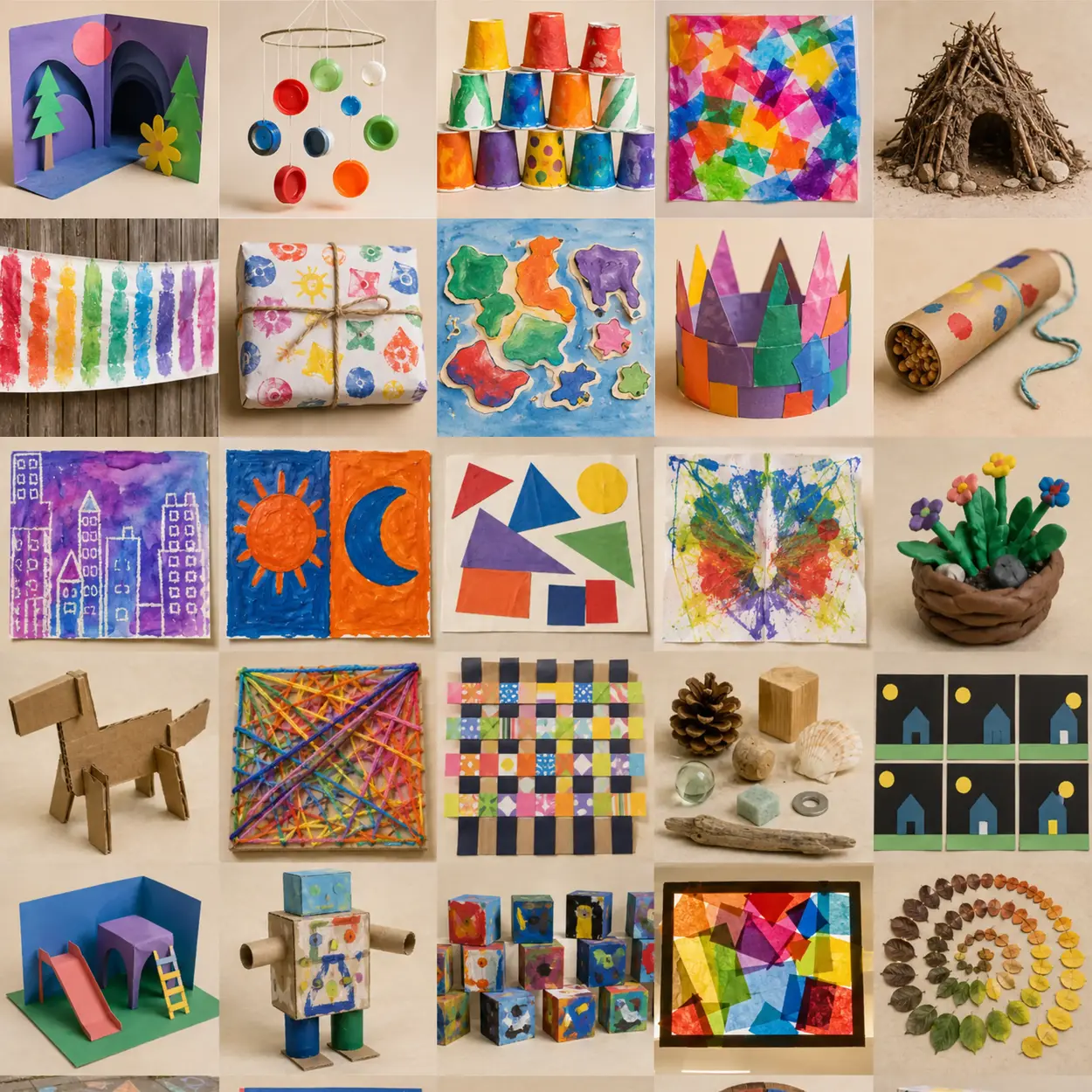
 SUCCESS EXAMPLE · NOT A TEMPLATE069
Kindergarten · LESSON 9 OF 319
Photo Composition Of Classroom Objects
Explore the idea in “Photo Composition Of Classroom Objects” using a few large parts. Your version can look different from the example. Arrange two objects and direct an adult to take a picture.
Use visual steps and a brief demonstration, then leave the final result open to each child. Use the readiness check below to choose the starting point. Grade is a guide, not a limit on an individual learner. The example image is inspiration, not a required level of finish.
Right-sized challenge · Kindergarten
Core goal: Use a familiar action intentionally and add one chosen detail. Project skill: Arrange two objects and direct an adult to take a picture.
Before starting: Try the main action on a spare surface. Can the child repeat it after a demonstration?
If it feels too hard: Work on one main part with a picture cue; offer a larger tool and an adult scribe.
If the skill is already secure: Change the size, direction, or arrangement and tell which version you prefer.
Adult support: Demonstrate in short chunks. Children make choices; adults handle setup and difficult cuts. Pointing or dictation replaces writing.
Time: 30–40 minutes including cleanup; give directions one or two at a time.
Safety: Use school-approved, age-labeled materials. Adults manage sharp cutting, heated tools, aerosols, and specialty equipment. Avoid loose small parts for children who mouth objects; check allergies. Preview all outside images and links; children do not browse or create public accounts independently.
Suggested teaching starting points, not fixed ability bands. Adjust after observing the learner. Informed by NAEYC process-art guidance and the National Core Arts Standards framework.THE STUDIO GUIDE'S PROJECT PLAN
What students are making
Explore the idea in “Photo Composition Of Classroom Objects” using a few large parts. Your version can look different from the example. Arrange two objects and direct an adult to take a picture.
Student directions
- 1
Explore the idea in “Photo Composition Of Classroom Objects” using a few large parts. Your version can look different from the example.
- 2
Arrange two objects and direct an adult to take a picture.
- 3
Add one detail you choose. Tell or show an adult what you are doing.
- 4
Point to something you like or discovered. Help return the tools.
Artist connection
Refik Anadol OPEN MUSEUM OR GOOGLE ARTS & CULTURE RESOURCEdiscuss how data can become moving color and immersive space.
Teaching rule: borrow the artist’s question, process, material thinking, or relationship to audience—not a recognizable style.
Current art-world practice
Immersive art: light, sound, scale, and movement surround the viewer.
Ask students where they might encounter this practice today: a museum, public space, screen, community event, landscape, or temporary installation.
Teacher preparation
- Use school-approved, age-labeled materials. Adults manage sharp cutting, heated tools, aerosols, and specialty equipment. Avoid loose small parts for children who mouth objects; check allergies. Preview all outside images and links; children do not browse or create public accounts independently.
- Prepare tablet or camera and simple backdrop in table groups; keep specialty materials at a distribution station.
- Preview the artist connection, choose one age-appropriate artwork for discussion, and avoid assigning students to copy a recognizable style.
- Print the matching worksheet and prepare a drying, display, testing, or photography area.
- Make one technique sample and one deliberately unsuccessful sample; do not make a finished project for copying.
Demonstration notes
- Arrange two objects and direct an adult to take a picture.
- Show only one action at a time. Let children respond before demonstrating another.
- Show two different possible outcomes; neither is the correct picture to copy.
Learning goals
- Arrange two objects and direct an adult to take a picture.
- Make a personal choice while using tools with support.
- Share by pointing, showing, or speaking.
Materials
- tablet or camera
- simple backdrop
- moveable objects
- storyboard paper
- table protection
- cleanup supplies
- optional student-proposed safe materials
Teaching sequence
- 1
0–3 MIN · INVITE — Introduce “Photo Composition Of Classroom Objects” with one concrete object or teacher-selected image.
- 2
3–6 MIN · SHOW — Arrange two objects and direct an adult to take a picture.
- 3
6–32 MIN · EXPLORE — Read the student directions in small chunks. Follow the child's attention; offer the support or stretch when useful.
- 4
32–40 MIN · SHARE + CLEAN — Children point or speak; adults record one observation and support cleanup.
What success looks like
- The child explores the project action with appropriate support.
- A choice or discovery is visible or shared; a realistic likeness is not required.
- Participation and experimentation matter more than completion or neatness.
Teacher questions
- What are you trying?
- What do you notice?
- Would you like to try another way?
Common problems + responses
- The child stops or becomes frustrated — reduce choices and model just the next action.
- The result looks unlike the example — describe the child’s marks and choices without correcting their personal imagery.
Access + differentiation
- Work on one main part with a picture cue; offer a larger tool and an adult scribe.
- Offer adapted grips, a stabilized surface, rest breaks, and spoken or dictated responses. Adjust access without taking over the creative decisions.
- Change the size, direction, or arrangement and tell which version you prefer.
Material substitutions
- Use larger, teacher-prepared versions of the same materials and simplify the number of parts.
Four-part assessment rubric
OBSERVE — What did the child try?
CHOICE — What did the child select or change?
NEXT STEP — What small action would help next time? Do not score realism, writing, or speed.
Vocabulary
Student reflection
What did you notice? Which choice feels most like yours? What would you change next?
National Core Arts Standards
VA:Cr1.1.Ka — Generate art through play
VA:Cr2.1.Ka — Explore materials and tools
VA:Re7.1.Ka — Identify art nearby
STUDENT PROMPT